Repeat watering within the day at the chosen interval.
Simple automated garden watering
Put everyday watering on a schedule.
A compact battery-powered irrigation timer for garden taps, hoses and routine watering. Set a cycle, use manual watering when needed, then let the timer handle the repeat.
Manual wateringOutdoor-ready housing2× AA battery power

Outdoorwatering timer
Programmable cyclesSet repeat watering routines
Manual modeWater outside the schedule
Simple dial controlPhysical controls, clear display
Garden-ready formatCompact tap-mounted design

Everyday watering control
Set it once. Keep the garden routine consistent.
The supplied product materials highlight scheduled watering, manual watering, weather-resistant outdoor use and water-saving control. The timer mounts directly between the tap and hose connection.
Manual on-demand wateringScheduled repeat cycles
Scheduling
Choose a cycle that fits the way you water.
The included source graphics show both hourly interval scheduling and multi-day cycle scheduling, plus manual watering for one-off use.
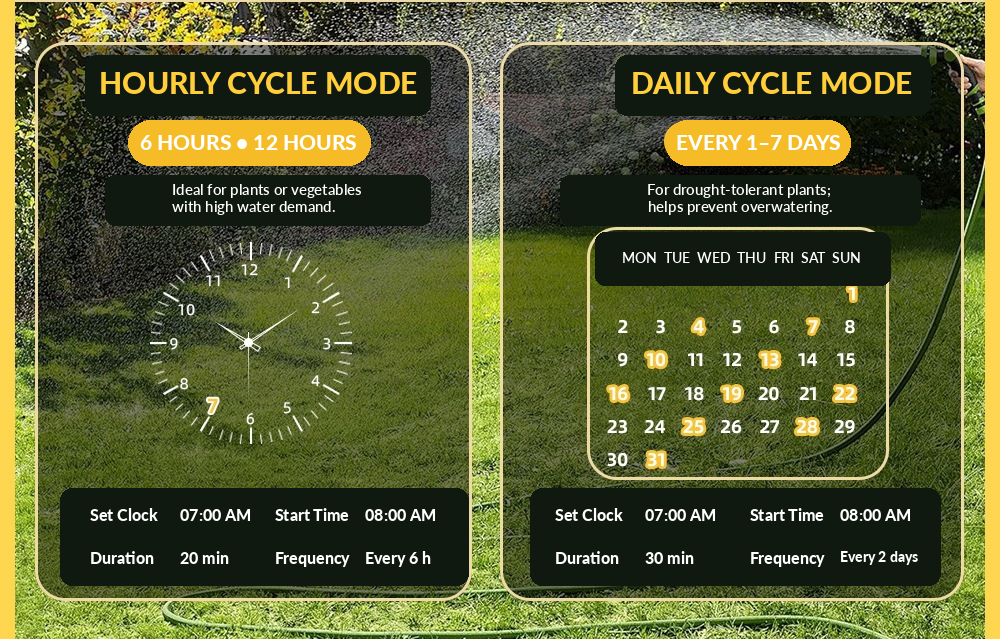
Schedule watering across a repeating multi-day cycle.
Run watering outside the programmed schedule when required.
Simple physical controls
A clear screen, dial and buttons—without an app.
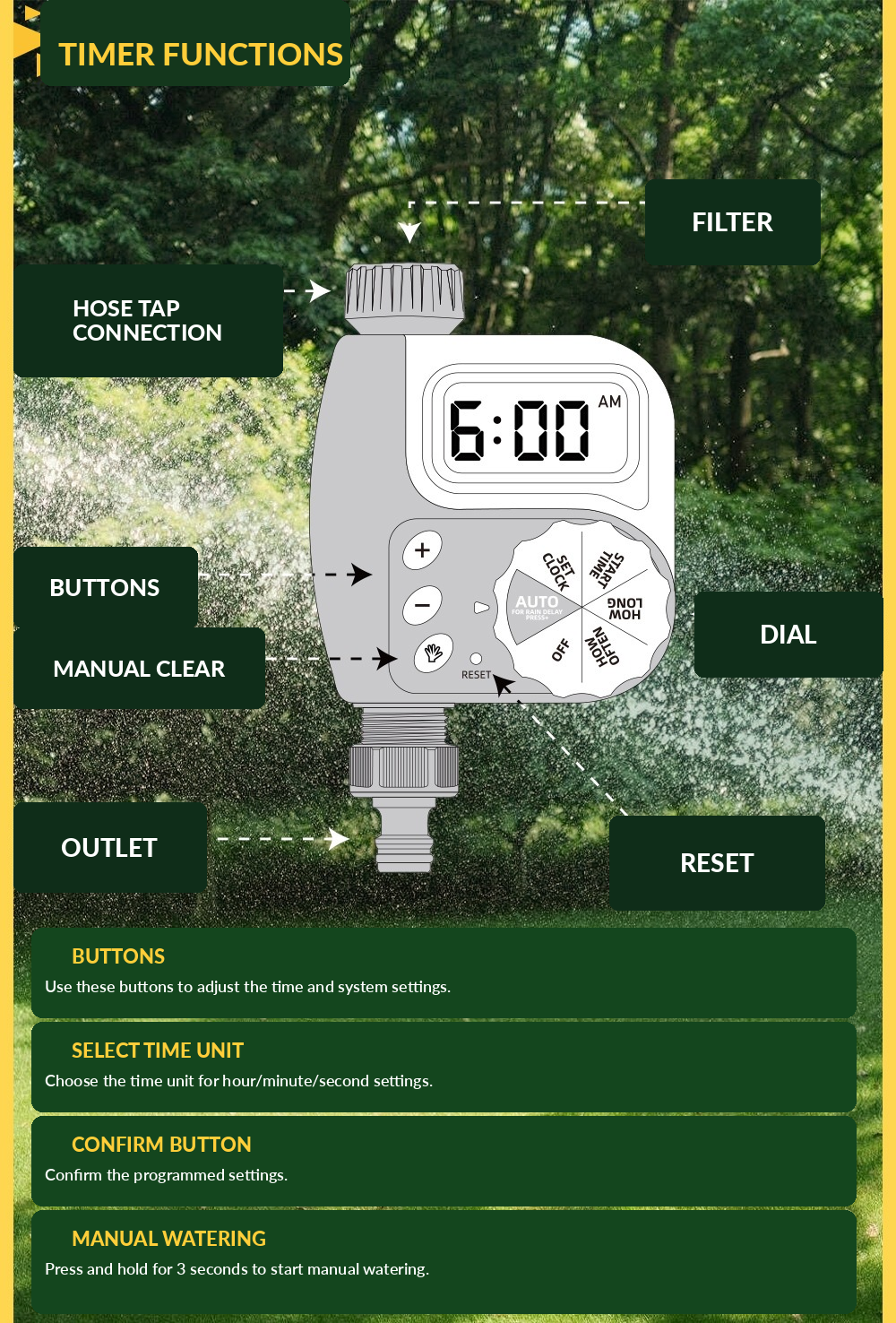
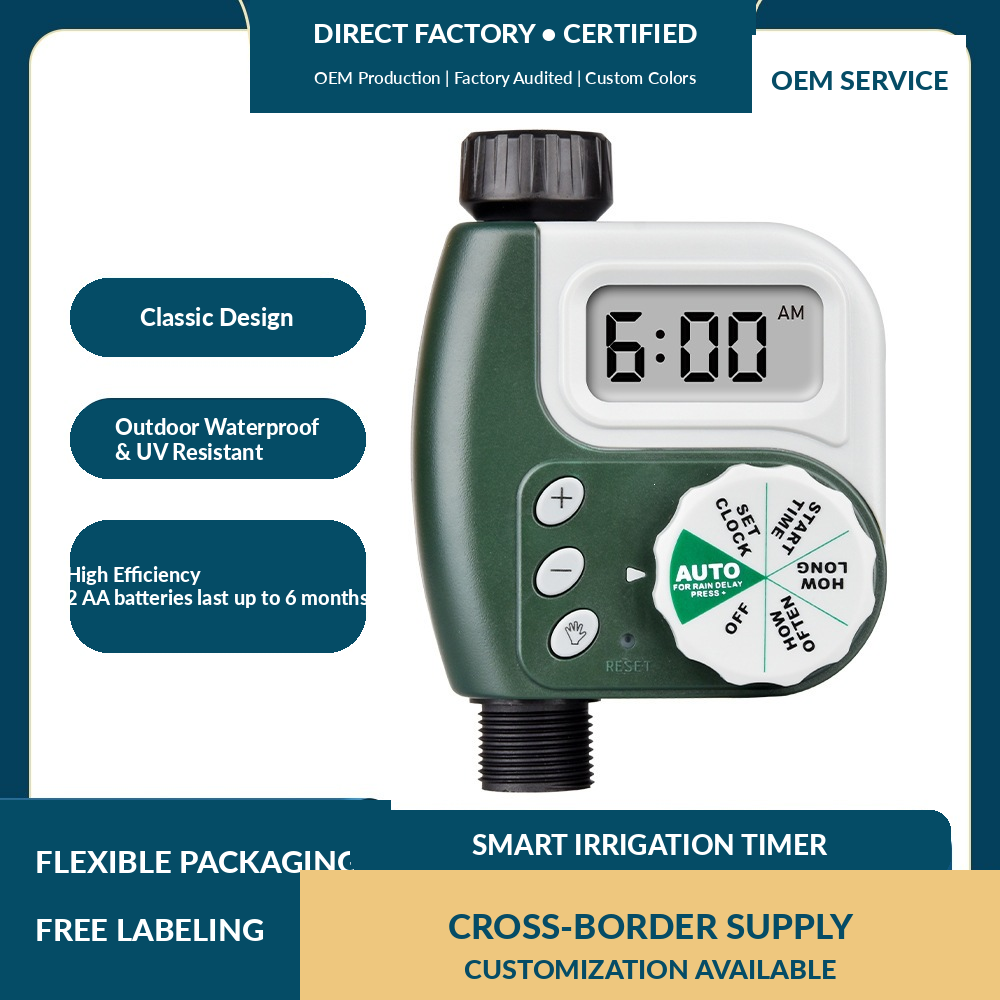
The product layout groups the LCD, rotary dial, hose-tap connection, outlet and reset control in one compact housing. That keeps setup at the tap straightforward.
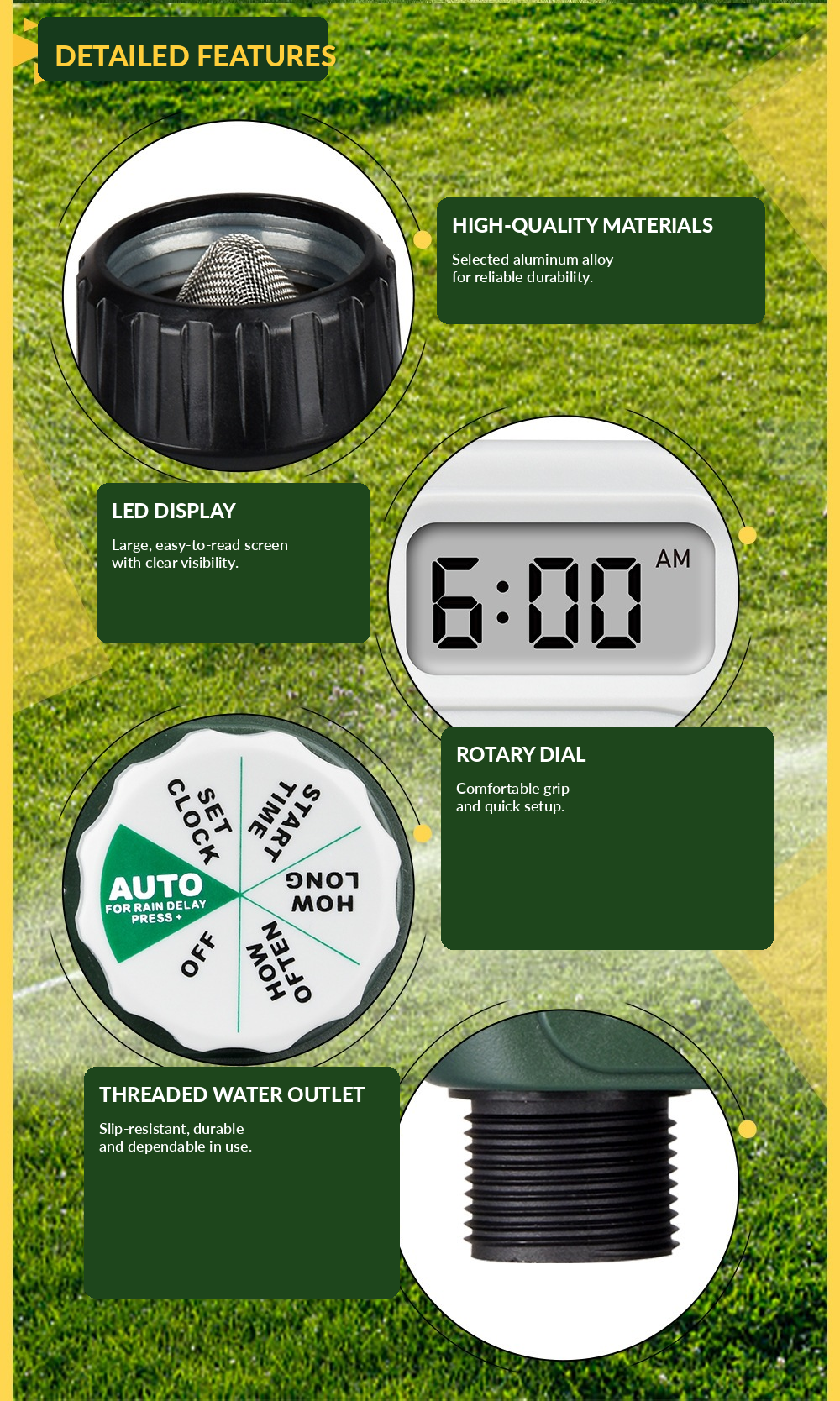
- LCD time display
- Rotary scheduling dial
- Manual watering control
- Threaded tap connection and hose outlet
Product details
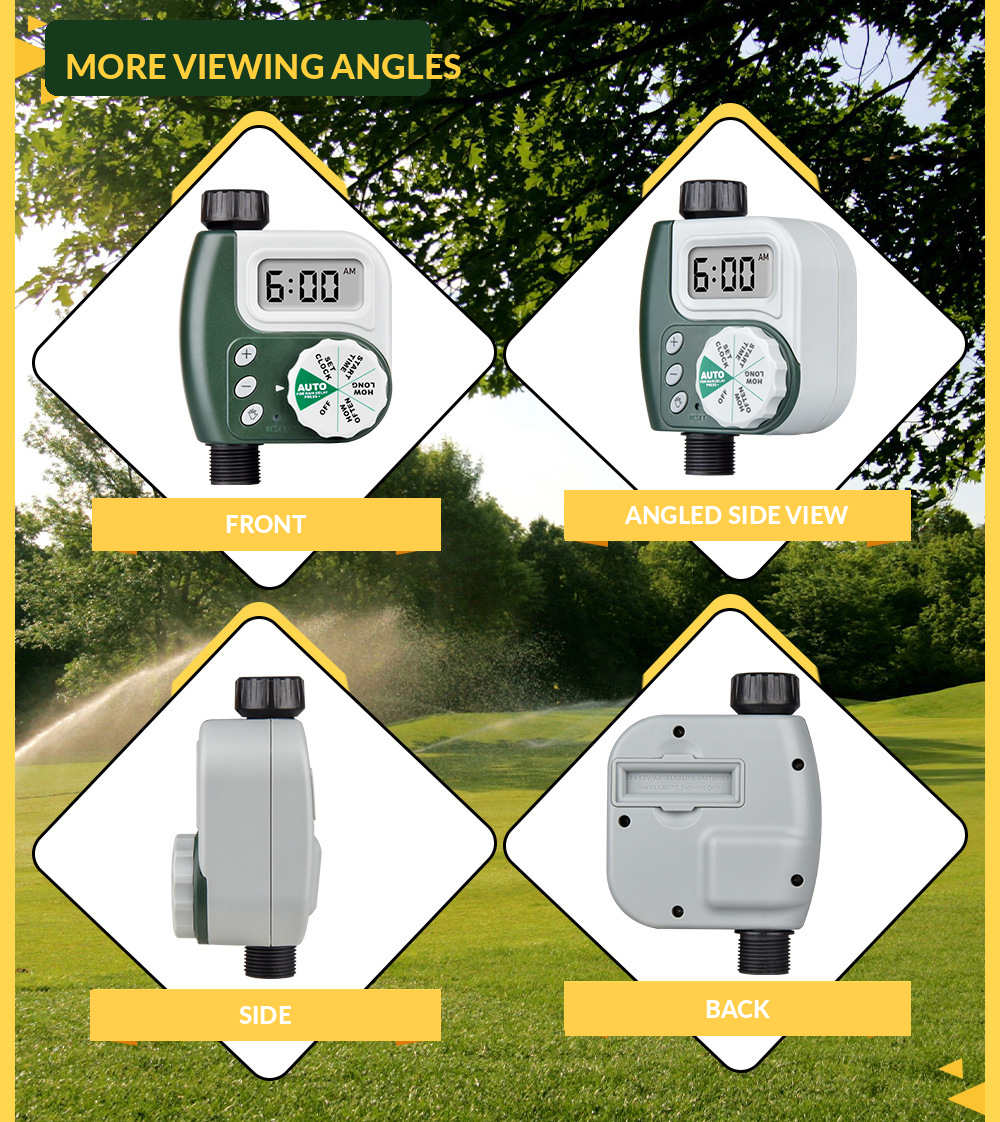
See the timer from every useful angle.
Built-in product assets are bundled directly inside the theme, so these images appear immediately after theme upload.
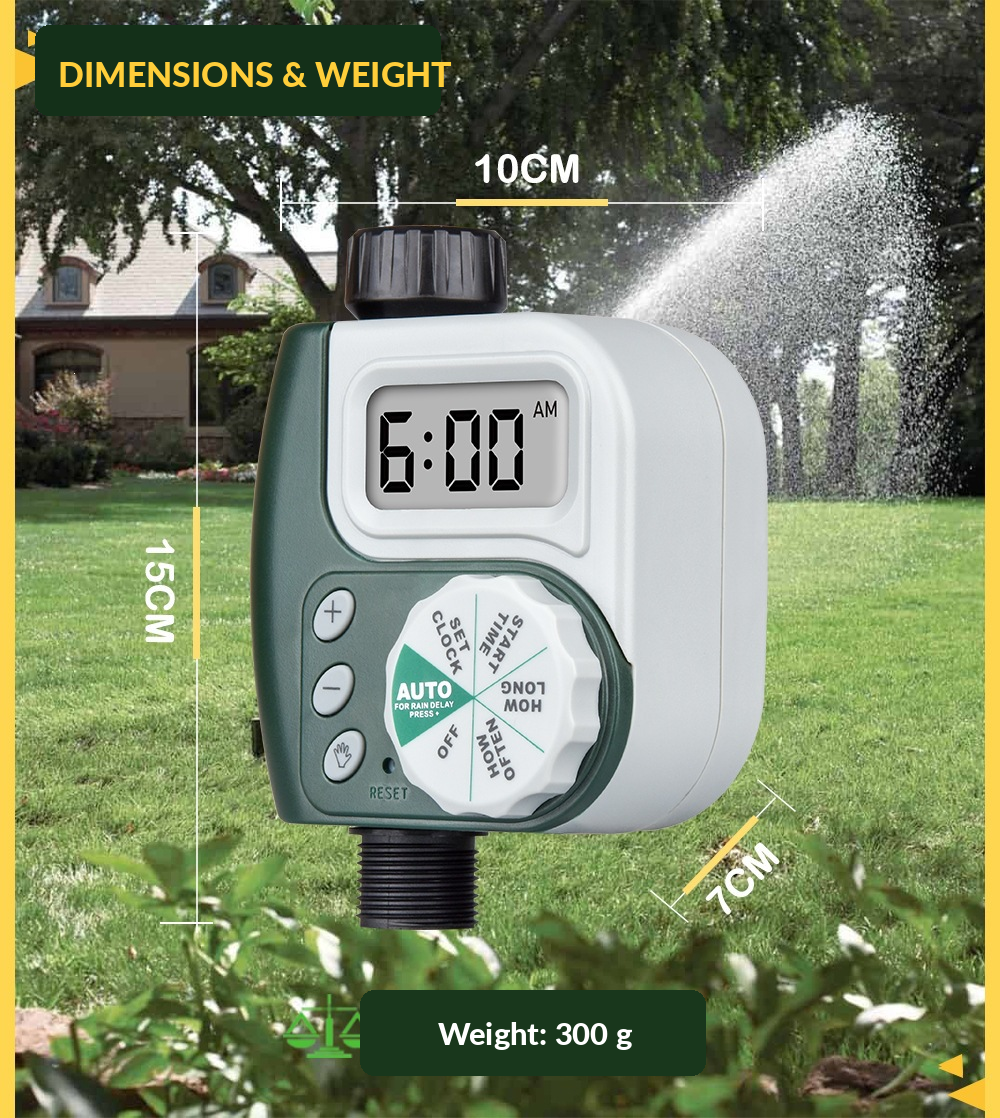

Specifications shown in supplied materials
Compact hardware for a standard garden watering setup.
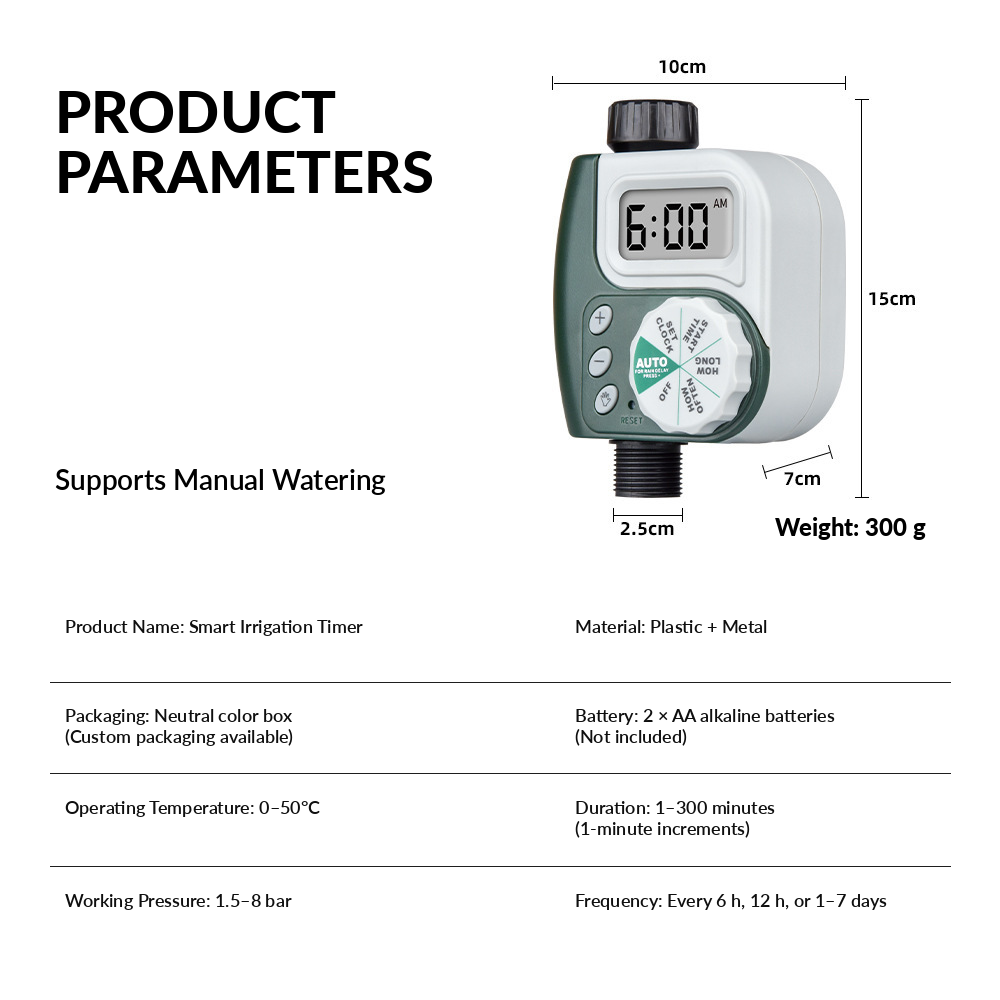
- Power
- 2 × AA alkaline batteries
- Operating temperature
- 0–50°C
- Working pressure
- 1.5–8 bar
- Product color
- Green / white
- Liquid medium
- Clean / tap water
- Material
- Plastic + metal
Packaging
Compact product, straightforward presentation.
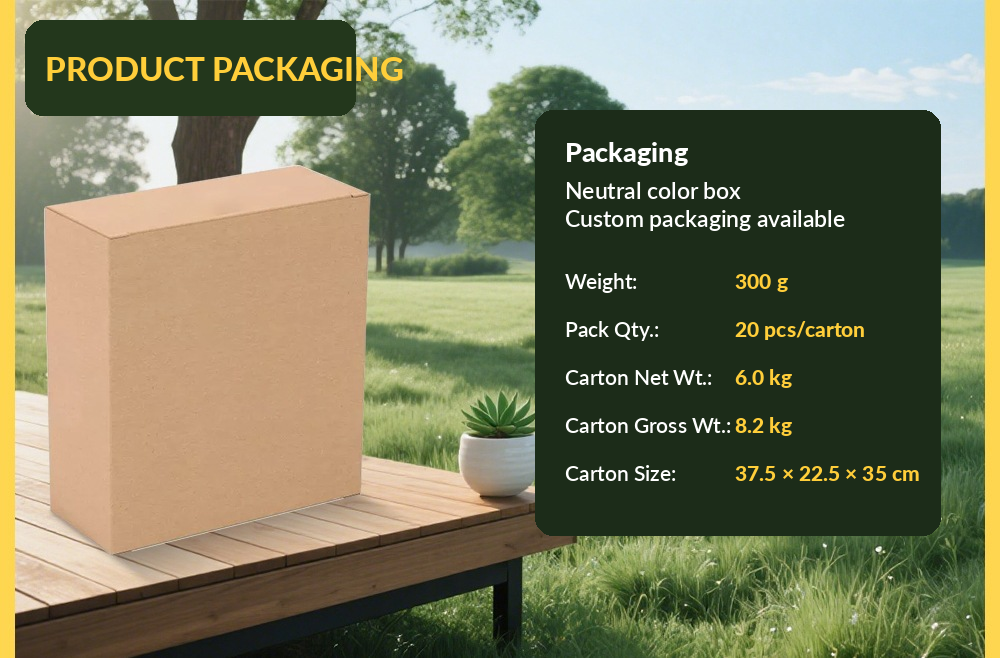
The supplied packaging graphic shows a neutral color-box format and the timer as the primary packaged item. Use your actual Shopify product listing to define final included contents.
300 g product weight shownColor box package shown
Product source material
Additional supplied product graphics.
These images are included as real Shopify theme assets—not external links—so the theme remains self-contained.


Connect your Shopify product
Smart Irrigation Timer
The product image already displays from the bundled theme asset. Select your Shopify product in the Theme Editor to connect the live price, variants, inventory and product URL.
Shop all productsSupport
Frequently asked questions
Will the images show immediately after I upload the theme?
Yes. The supplied product graphics are stored in the theme’s Assets folder and referenced with Shopify’s asset_url filter, so they do not depend on manual image uploads in the Theme Editor.
Do I need an app to use the timer?
The supplied product graphics show direct physical controls, an LCD and a rotary dial. No app is shown in the source materials.
What batteries does it use?
The supplied product information graphic specifies two AA alkaline batteries and notes that batteries are not included.
Can I water manually?
Yes. Manual watering is shown as one of the product’s operating functions in the supplied graphics.